
Importing seller catalogs from Wildberries and Ozon into Frobo.ru
A multi-vendor marketplace on CS-Cart Multi-Vendor
Frobo.ru is developing its own marketplace as another sales channel for sellers already active on Wildberries and Ozon. To make onboarding practical, it needed a clear way to transfer product data without entering every listing again.

Let sellers connect a Wildberries or Ozon account and import its catalog into their own Frobo.ru workspace without manually recreating listings.
A good developer who completes tasks on time. Anton finds excellent, reliable solutions 👍
The client’s brief
Remove manual catalog re-entry from seller onboarding
Existing sellers already have listings, images, attributes, prices, and stock in their WB or Ozon accounts. If all of it must be re-entered on a new platform, sellers spend time on setup before their first sale.
Frobo.ru needed the import in the familiar Multi-Vendor interface while keeping sellers’ data separate. Each seller manages only their own connection profile and imports into their own catalog.
Requirements
- give each seller a separate Wildberries or Ozon connection profile
- import core product data, prices, stock, and images
- map external categories and warehouses to Frobo.ru
- handle product attributes and variants correctly
- update linked products without creating duplicates
- show synchronization progress and clear reasons for errors
What I built
Built one import flow for two APIs and the Multi-Vendor catalog
A separate profile for each seller
A seller selects Wildberries or Ozon, enters API credentials, and checks the connection. Profiles, product links, and synchronization runs remain inside that seller’s vendor workspace.
A shared flow for WB and Ozon
Data from both marketplaces is normalized into one internal structure. Creating and updating CS-Cart products follows the same flow despite differences between the source APIs and formats.
Importing listing content
The add-on retrieves titles, descriptions, SKUs, prices, stock, images, dimensions, categories, and attributes. Existing images can be retained, new ones added, or the set replaced.
Categories, attributes, and warehouses
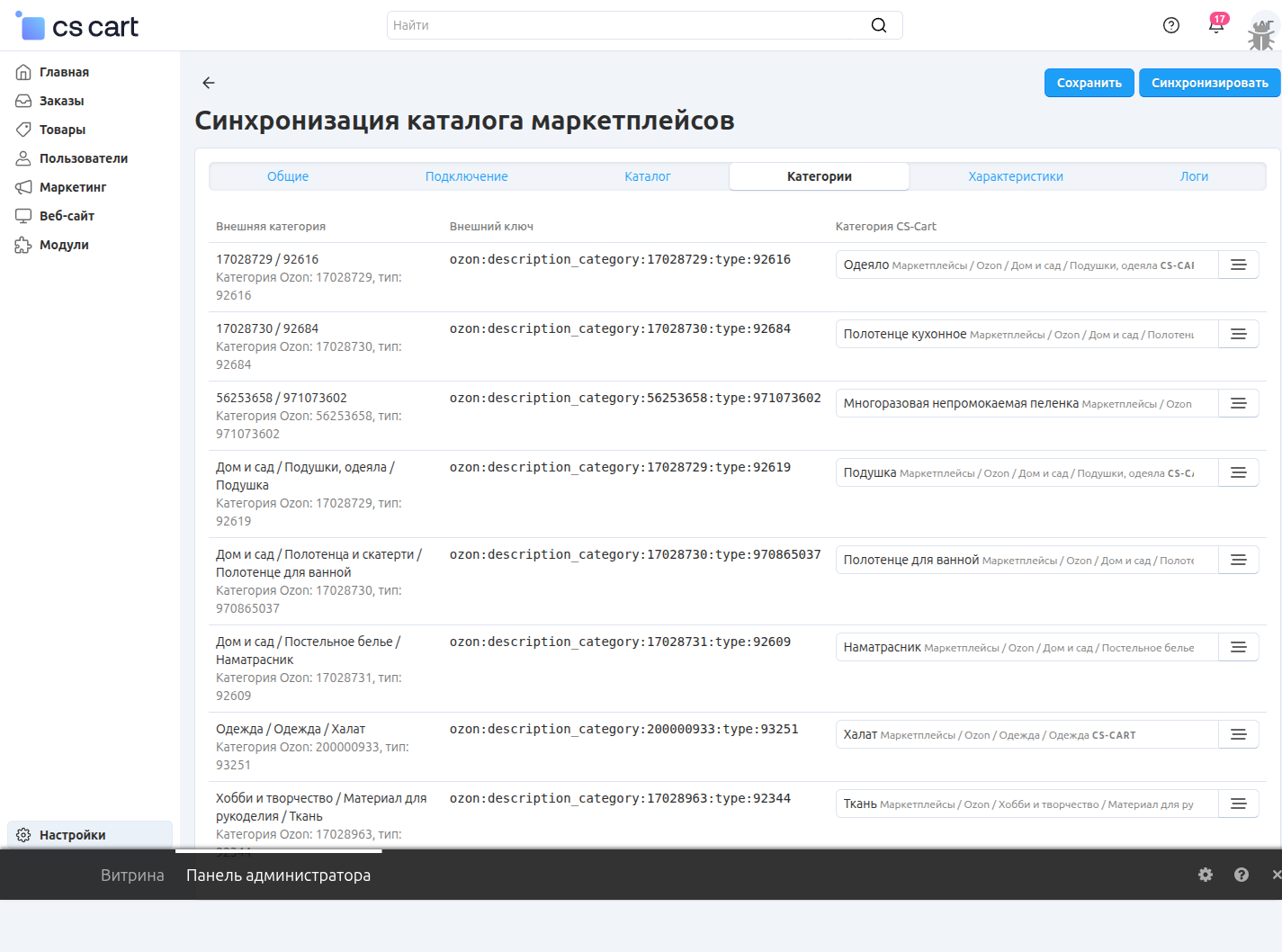
Before publication, the seller maps external categories to Frobo.ru. Import strategies govern attributes and variants, and marketplace warehouses are linked to CS-Cart warehouses.
Product links without name matching
The import records an explicit link between each external listing and its CS-Cart product_id. Later runs update linked products. Products missing from the source can retain their state or be disabled.
Staged processing and run logs
Large catalogs are read and written in short batches, with images processed in a separate queue. Logs show products created, updated, skipped, or failed.
Interfaces
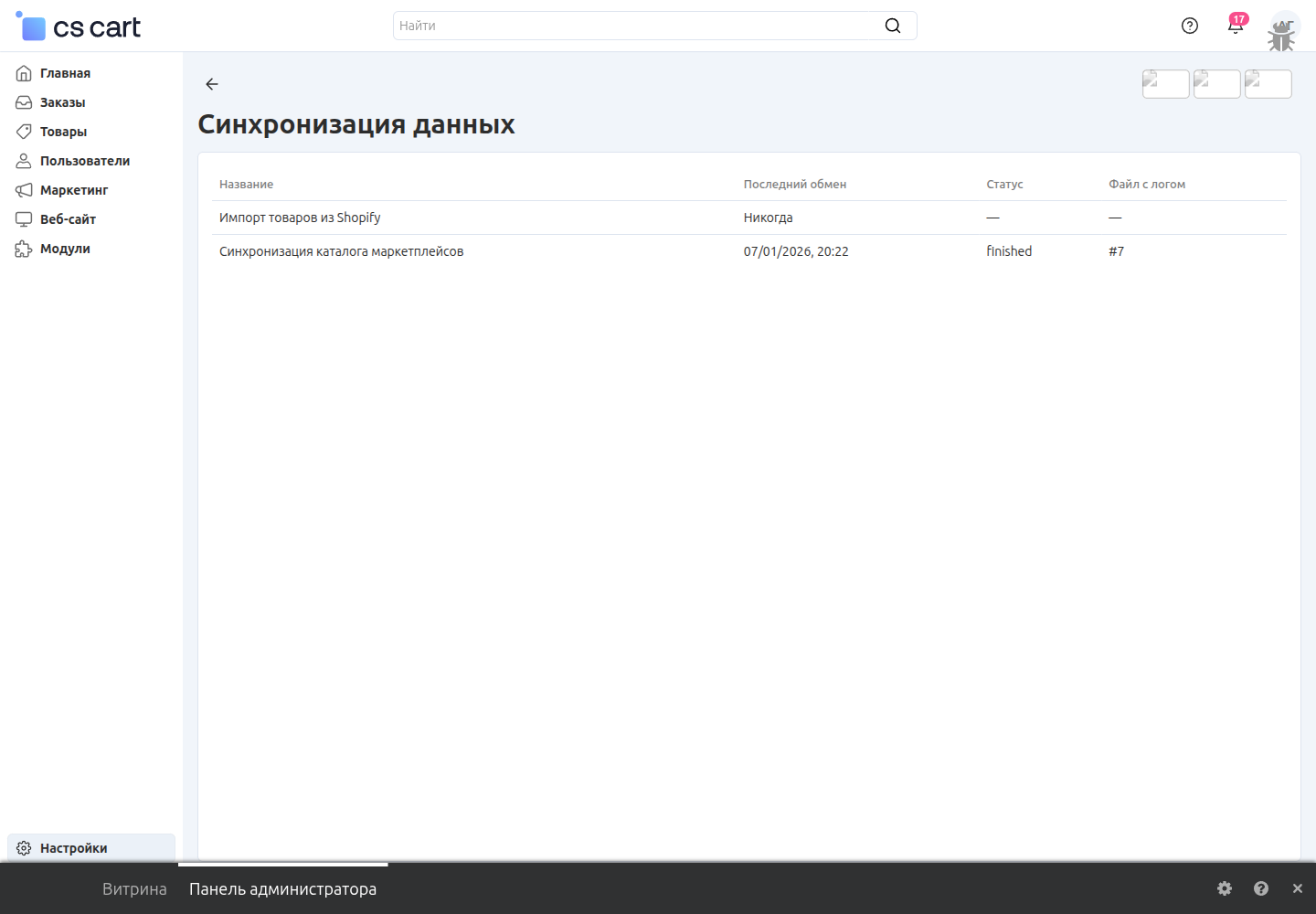
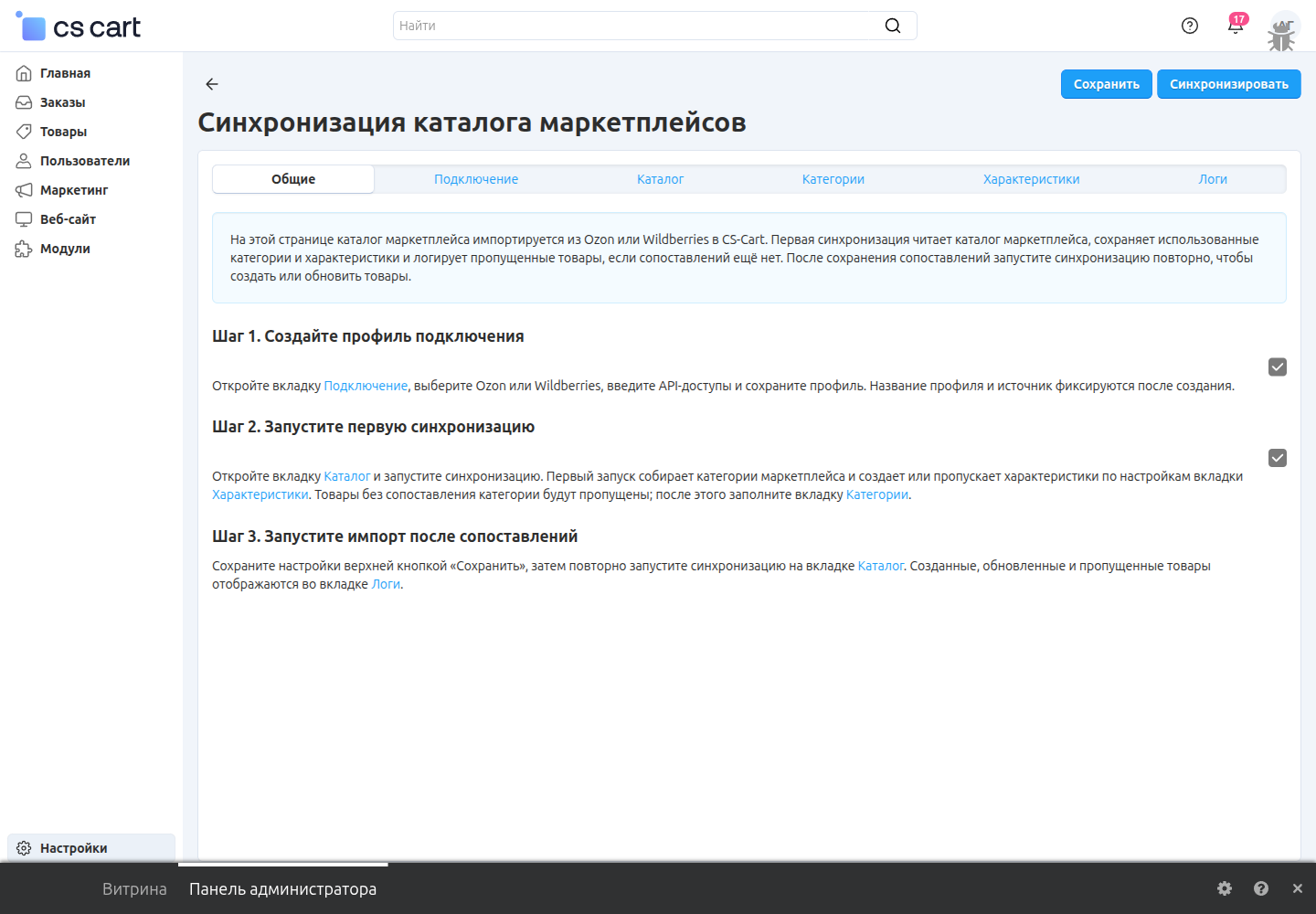
Sellers manage imports in the standard data synchronization section
The seller creates a profile and reads the catalog first. They then map categories and settings, and run the import again to create or update products.
What the client received
For Frobo.ru, this is not a one-off migration but part of seller onboarding. Sellers arrive with their existing catalogs and spend time configuring mappings instead of re-entering every listing.
Frequently asked questions
Does synchronization work in both directions?
No. The add-on reads Wildberries or Ozon data and imports it into CS-Cart Multi-Vendor. Sending Frobo.ru products back to those marketplace accounts is not part of this flow.
Will later runs create duplicate products?
No, if the profile imported the product and its link remains. The add-on uses the external ID and CS-Cart product_id to update the linked product rather than searching by name.
How are categories and attributes handled?
After reading the catalog, the seller maps external categories to Frobo.ru. Depending on the profile settings, missing attribute values can be created, skipped, or limited to existing values.
Can product variants be imported?
Yes, when the source identifies the group and variant attribute values unambiguously. If values are missing or repeated within a group, products are imported and the skipped variant group is recorded in the log.
Which data is imported from WB and Ozon?
Titles, descriptions, SKUs, prices, stock, images, dimensions, categories, and attributes that can be mapped correctly. Sellers need valid API credentials for their chosen marketplace.
LET’S GET STARTED
Describe the project — we’ll estimate it within 24 hours
We’ll tell you whether it is feasible, how long it may take, and what it may cost. Free and without obligation.
- Fixed price before work starts
- An agreement for each project
- Results warranty