
AI FAQ bot for Oozor.ru inside the CS-Cart admin panel
A children’s products marketplace on CS-Cart
Oozor.ru, launched in 2018, is built for people who are looking for or creating attractive products for children across many categories: from toys to clothing and furniture.

Implement an FAQ bot that searches its own database, normalizes questions through AI, and is fully configurable from the store’s admin panel.
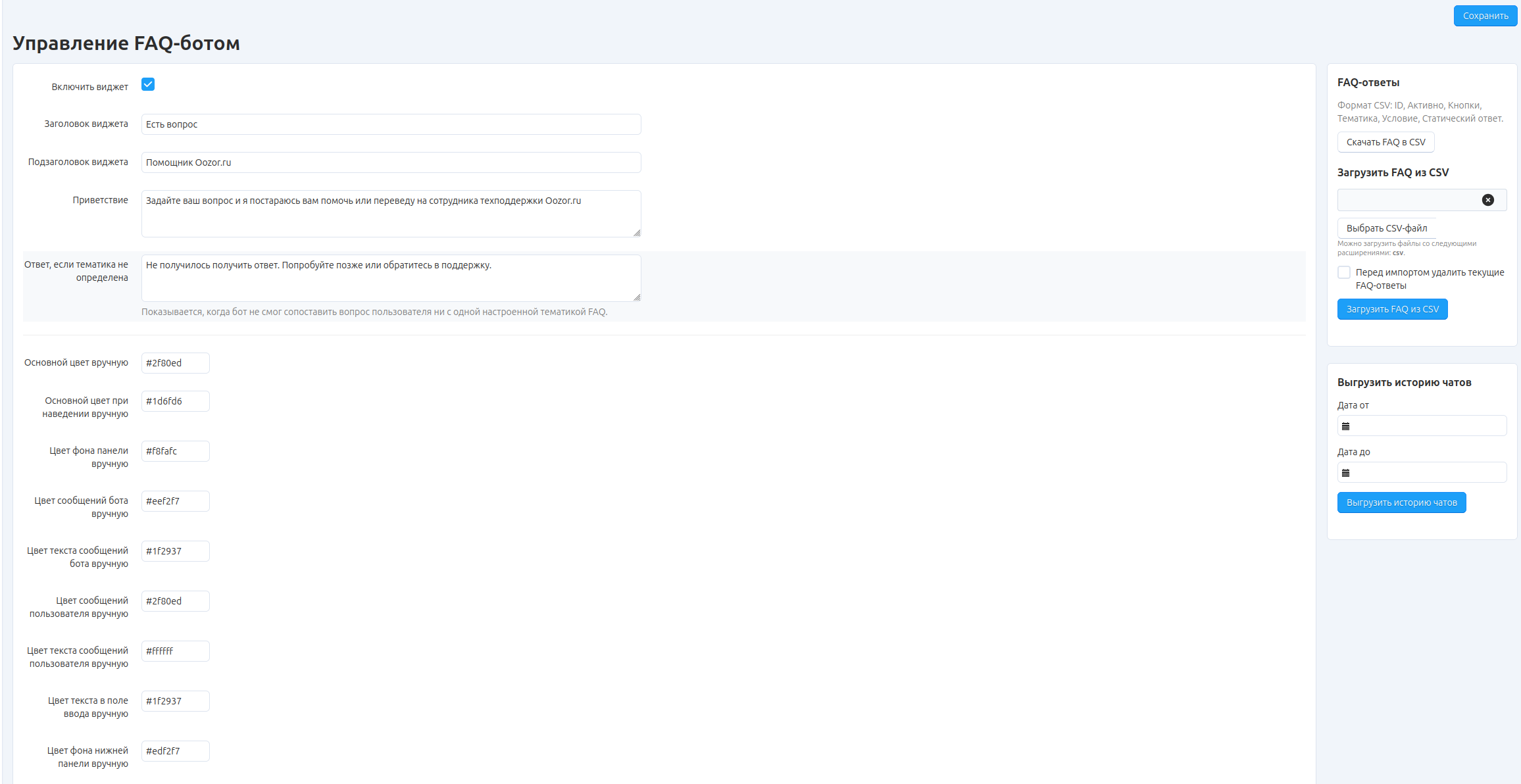
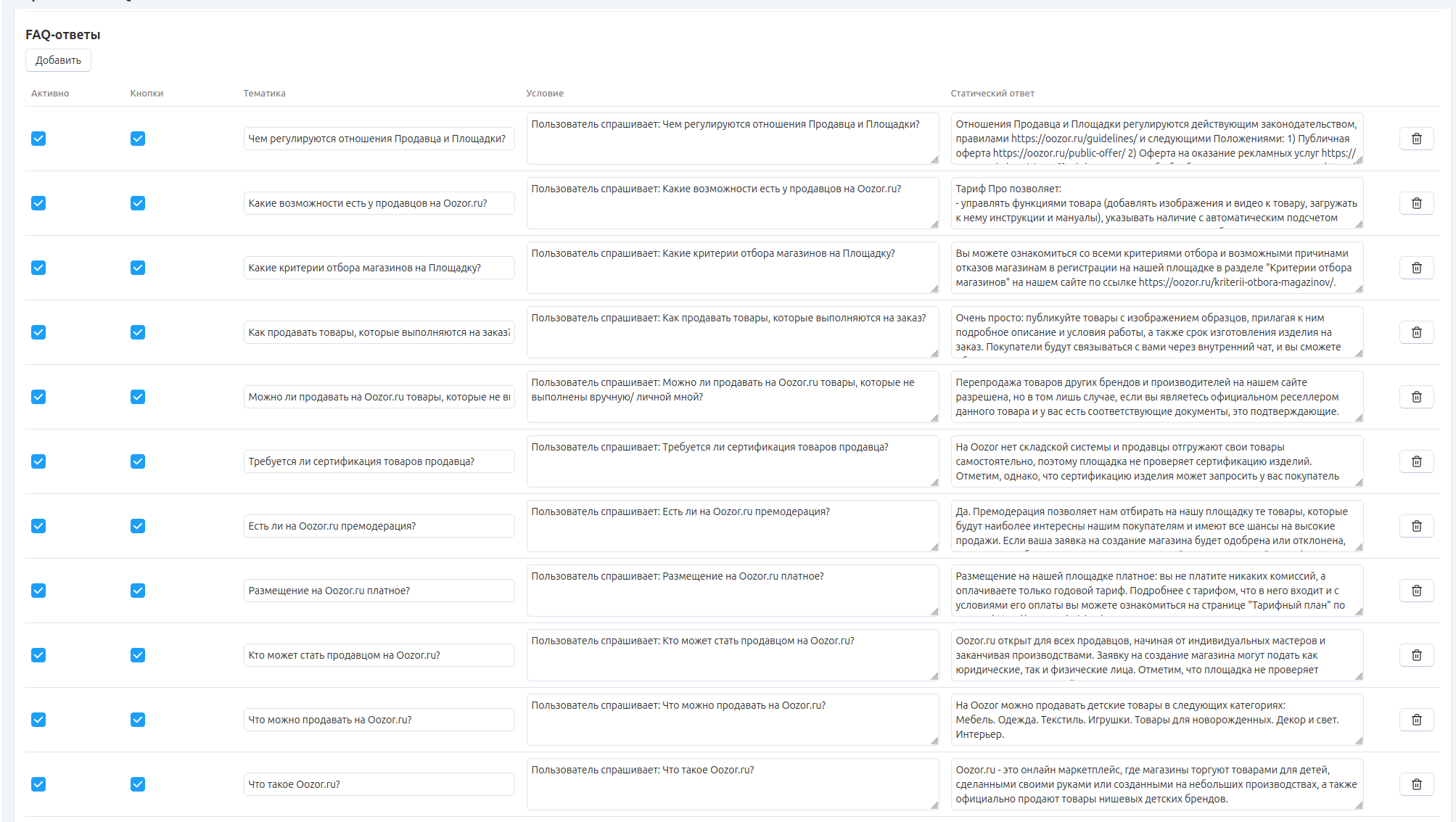
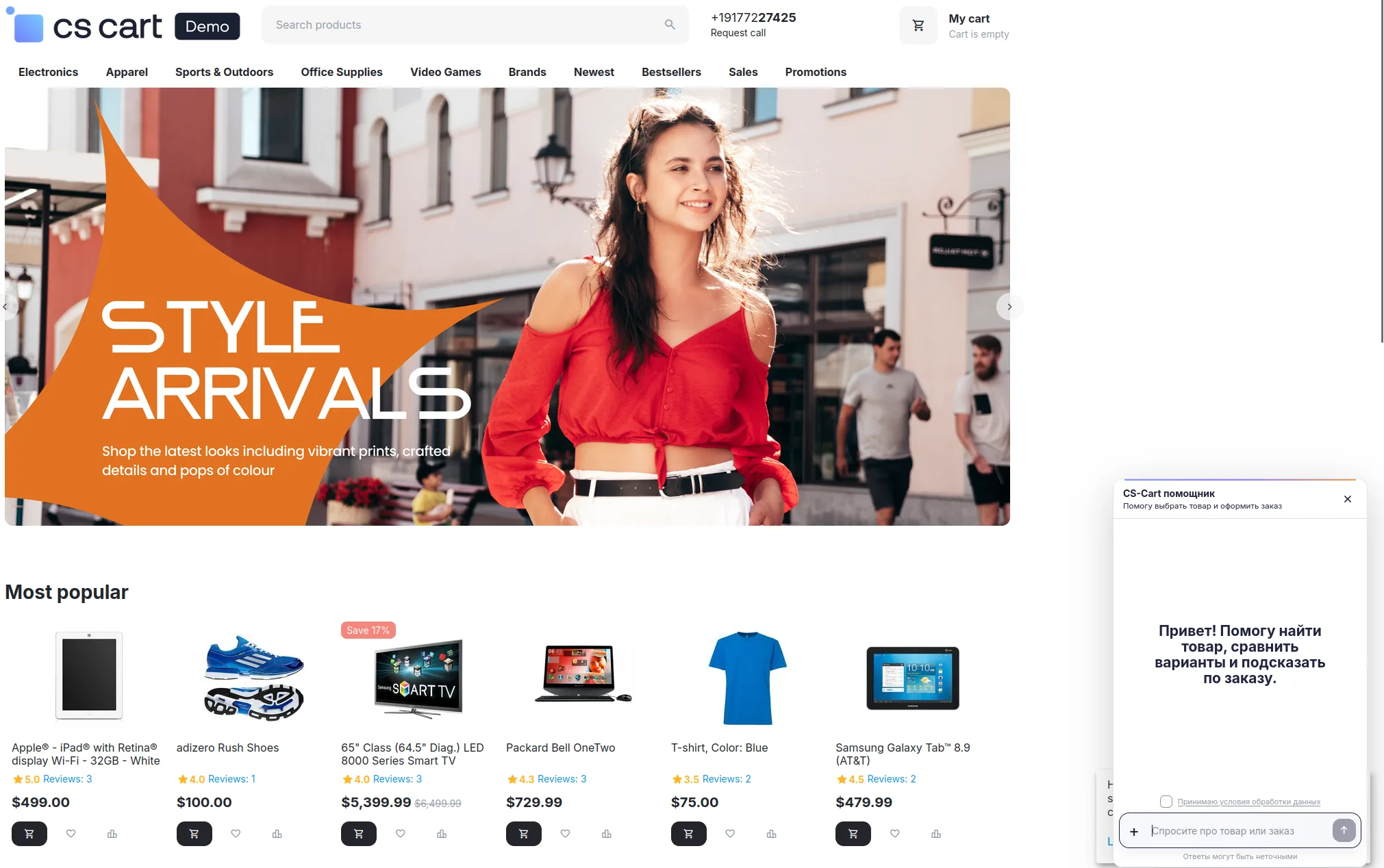
Inside the add-on, the client manages the greeting, fallback answer, FAQ topics, static answers, buttons, interface colors, and CSV exchange. On the storefront, the bot helps with common questions, and when needed it can transfer the user to support.
Client goal
Build a managed AI assistant that answers from the knowledge base instead of improvising blindly
The client wanted questions and answers to be managed directly in the CS-Cart admin panel. A potential buyer or seller asks in their own words, the system normalizes the question through AI, and then tries to match it against the existing FAQ base. At the same time, the Oozor team needed full control over the bot name, core prompt, texts, buttons, colors, and widget behavior.
What needed to be covered
- Build an FAQ bot builder inside the CS-Cart admin panel.
- Let the client maintain the FAQ base and static answers independently.
- Use AI to normalize the user’s question and search the base.
- Add settings for headings, greeting, fallback answer, buttons, and system prompt.
- Make the storefront widget fully customizable.
- Add FAQ import and export, plus chat history export.
What I did
Built a add-on where the answer base, AI matching, and branding are controlled from one panel
FAQ bot builder in the admin panel
I created a separate widget management interface: enable/disable, title, subtitle, greeting, default answer, and other basic settings are available without code changes.
Editable question-and-answer base
The client maintains the FAQ table independently: entry status, topic, condition, buttons, and static answer. This removes the need for a developer for routine content updates.
AI normalization of the user’s question
Instead of a literal text search, the question is first converted into a more normalized form. That helps the bot find a relevant answer even when the user writes loosely or imprecisely.
Prompt and visual customization
I added settings for the main prompt, headings, buttons, color scheme, and bot/user message text. The widget can be adapted to the store’s style without editing the template.
Storefront assistant with support handoff
On the storefront, the bot helps with products, comparisons, and order-related questions. If there is no answer, the flow can transfer the user to Oozor support.
CSV exchange and chat history
For the team, I added FAQ import/export via CSV, as well as chat history export for a selected period.
Interfaces
All operational work lives in the admin panel, while the storefront keeps a compact conversation flow
The administrator works with the FAQ base and add-on settings, while the site visitor sees a fast branded interface that answers from a clear knowledge base.
What the client got
The main result here is controllability. The team got not just a chat with a model, but its own support layer inside CS-Cart: the knowledge base, response logic, branding, and conversation history remained under the client’s control.
Frequently asked questions
What is an AI FAQ bot for CS-Cart and why does an online store need one?
It is a chatbot for a CS-Cart store that does not answer by random generation, but from a managed database of questions and answers. This add-on helps reduce repetitive inquiries, answer product, order, and store-policy questions faster, and keep responses under business control.
Can the question-and-answer base in CS-Cart be managed without a developer?
Yes. In this case, the FAQ base is managed directly from the CS-Cart admin panel. A manager can add questions, enable or disable entries, and edit topics, conditions, buttons, and static answers without separate code changes.
How does the AI FAQ bot in CS-Cart find an answer to a user’s question?
First, the user’s question is normalized by AI so it does not depend on the exact wording. Then the system searches for the most relevant answer in the existing FAQ base by topic, conditions, and predefined scenarios. This makes the bot more accurate than a simple literal text match.
How is this FAQ bot different from a regular ChatGPT widget on a website?
A regular widget usually responds with free generation and is harder to control for content quality. Here the logic is different: answers come from a managed knowledge base, and AI is used as a layer for matching the question to the right answer. That is safer for support, marketplace rules, and typical customer communication.
Can the bot title, greeting, prompt, colors, and widget buttons be customized?
Yes. The add-on includes settings for the widget title and subtitle, welcome message, fallback answer, system prompt, interface colors, button text, and message text. This makes it possible to fit the AI assistant into the store’s style instead of leaving it as an external-looking block.
Is there import and export for the FAQ base, as well as chat history export?
Yes. The team gets CSV exchange for the FAQ base and a separate export of chat history for a selected period. This is useful when the answer base needs to be updated in bulk, shared between staff members, or analyzed for real user requests.
Can a user be transferred from the AI bot to store support?
Yes. If the bot cannot find a correct answer or the question goes beyond the knowledge base, you can show a fallback scenario and transfer the user to support. For an ecommerce project, this is important: the bot handles routine tasks, while complex requests stay with the human team.
Is the AI FAQ bot suitable for CS-Cart Multi-Vendor and marketplaces?
Yes. Such a add-on is especially useful for marketplaces and Multi-Vendor projects that have repetitive questions from customers and sellers: about listing terms, products, orders, platform rules, and support. In these scenarios, a controlled knowledge base works much better than fully free-form generation.
LET’S GET STARTED
Describe the project — we’ll estimate it within 24 hours
We’ll tell you whether it is feasible, how long it may take, and what it may cost. Free and without obligation.
- Fixed price before work starts
- An agreement for each project
- Results warranty